Okay, I want to sell my phone on Phonetradr. What do I do?
Simply click “Sell Now”, select the make, model, capacity and colour of the phone you’re selling. Then, we will give you a suggested selling price but you’re welcome to change it to whichever amount you’d like. Then, click “sell it” and choose from two convenient selling options:
Instant Listing
This is an option for people that are currently using the phone they’re selling. We’ll list the phone for sale but you keep it with you until it’s sold. Only then do we collect it, inspect, verify and package it before it gets delivered to the buyer. The disadvantage here is that it takes slightly longer to sell as it’s not pre-verified and is listed with a longer delivery time frame to the buyer than a Standard Listing.
Standard Listing (recommended)
This is a great option if you’re not currently using the phone you’re selling. This way, we collect the phone from you and deliver it to Phonetradr HQ where we will complete the inspection and verification before listing your phone for sale. It gets stored in our CAT 5-certified safe with CCTV surveillance and of course your phone is also insured. It's safer with us than anywhere else!
The other benefit is your phone gets labeled as a ‘featured phone’ on our site, which means more people are viewing your listing. Also, it results in a quicker delivery time since its stored with us ready to be delivered to a buyer within 24-48 hours. And of course you get paid faster.
Sell your Samsung Galaxy S20 Ultra
'%3e%3cg id='close_icon'%3e%3cg id='Group 2'%3e%3cg id='Line'%3e%3cuse xlink:href='%23path0_stroke' transform='translate(1807.76 2693.76)' fill='%232F2564'%3e%3c/use%3e%3c/g%3e%3cg id='Line'%3e%3cuse xlink:href='%23path0_stroke' transform='matrix(-1 0 0 1 1818.4 2693.92)' fill='%232F2564'%3e%3c/use%3e%3c/g%3e%3c/g%3e%3c/g%3e%3c/g%3e%3cdefs%3e%3cpath id='path0_stroke' d='M 1.10996 -0.304257C 0.719432 -0.694782 0.0862668 -0.694782 -0.304257 -0.304257C -0.694782 0.0862668 -0.694782 0.719432 -0.304257 1.10996L 1.10996 -0.304257ZM 9.17769 10.5919C 9.56821 10.9824 10.2014 10.9824 10.5919 10.5919C 10.9824 10.2014 10.9824 9.56821 10.5919 9.17769L 9.17769 10.5919ZM -0.304257 1.10996L 9.17769 10.5919L 10.5919 9.17769L 1.10996 -0.304257L -0.304257 1.10996Z'%3e%3c/path%3e%3c/defs%3e%3c/svg%3e)
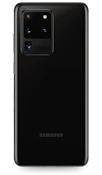
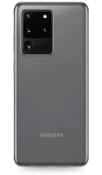
What color is your Samsung Galaxy S20 Ultra?


Got some questions about selling your device?
We’d like to answer them!
Swipe down from the top of the screen to pull down the Notification Shade > Tap the Settings button > Swipe up to scroll down on the settings screen > Tap Backup and reset > Tap Factory data reset > Tap reset device > Tap ERASE EVERYTHING.
All the information we need from you will be asked for during the few minutes you spend on creating your listing. We’ll need your full name, contact details, delivery address and the details of the device you’re selling such as the make, model, colour and if there’s any damage to it. We will also need your banking details so that you can get paid for the sale of your phone.
On your phone, open the Gmail app > In the top right, tap your profile picture > Tap Manage accounts on this device > Choose your account > At the bottom, tap Remove account.
To conduct a Google backup and restore on your Android phone, go to your Settings > Accounts > Backup and restore. From the Google account section, tap the ‘Back up my data’ switch to turn it on. If it is off, this means none of your existing data has been backed up until this point.
If you include your original wall charger and cable and they are in good working condition, then you will get a higher selling price, which means more money!
Ready to sell? Let’s get your device listed!
Devices Just Sold!
These devices are off to create new memories with new owners!
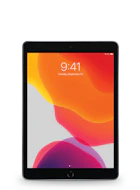
iPad Pro 10.2" (1st Gen)
Just
Sold!
Sold!
iPad Pro 10.2" (1st Gen)
Like New condition
64 GB
Space Grey
Sold for
R7 659.00or on credit for R785.00 pm
or on instant credit
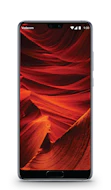
Huawei P20
Just
Sold!
Sold!
Huawei P20
Good condition
128 GB
Midnight Blue
Sold for
R2 000.00or on credit for R205.00 pm
or on instant credit
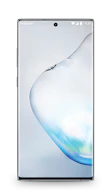
Samsung Galaxy Note10
Just
Sold!
Sold!
Samsung Galaxy Note10
Excellent condition
256 GB
Aura Black
Sold for
R7 578.00or on credit for R777.00 pm
or on instant credit
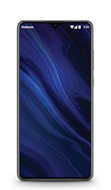
Huawei P30
Just
Sold!
Sold!
Huawei P30
Like New condition
128 GB
Black
Sold for
R5 219.00or on credit for R535.00 pm
or on instant credit
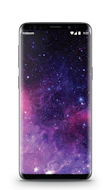
Samsung Galaxy S9
Just
Sold!
Sold!
Samsung Galaxy S9
Brand New (opened) condition
64 GB
Midnight Black
Sold for
R5 449.00or on credit for R559.00 pm
or on instant credit
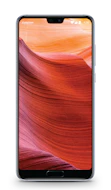
Huawei P20 Pro
Just
Sold!
Sold!
Huawei P20 Pro
Excellent condition
128 GB
Midnight Blue
Sold for
R3 979.00or on credit for R408.00 pm
or on instant credit
What Clients Say

Terence Ferdinando says...
Impressed with after sales followup.
from Cape Town

Stephen Roberts says...
Excellent service, easy payment on line and speedy delivery. Thoroughly recommended.
from Illovo
Justin Maboshego says...
Sold two phones through this company. Great service. Will definitely use them again
from Johannesburg