How do I sign out of my Apple ID or iCloud login before selling my iPhone 12?
Go to your Settings > Select Apple ID > Scroll to the bottom > Select ‘Sign Out’. To clear up definitions, your iCloud login is the same thing as your Apple ID.
Sell your iPhone 12
'%3e%3cg id='close_icon'%3e%3cg id='Group 2'%3e%3cg id='Line'%3e%3cuse xlink:href='%23path0_stroke' transform='translate(1807.76 2693.76)' fill='%232F2564'%3e%3c/use%3e%3c/g%3e%3cg id='Line'%3e%3cuse xlink:href='%23path0_stroke' transform='matrix(-1 0 0 1 1818.4 2693.92)' fill='%232F2564'%3e%3c/use%3e%3c/g%3e%3c/g%3e%3c/g%3e%3c/g%3e%3cdefs%3e%3cpath id='path0_stroke' d='M 1.10996 -0.304257C 0.719432 -0.694782 0.0862668 -0.694782 -0.304257 -0.304257C -0.694782 0.0862668 -0.694782 0.719432 -0.304257 1.10996L 1.10996 -0.304257ZM 9.17769 10.5919C 9.56821 10.9824 10.2014 10.9824 10.5919 10.5919C 10.9824 10.2014 10.9824 9.56821 10.5919 9.17769L 9.17769 10.5919ZM -0.304257 1.10996L 9.17769 10.5919L 10.5919 9.17769L 1.10996 -0.304257L -0.304257 1.10996Z'%3e%3c/path%3e%3c/defs%3e%3c/svg%3e)
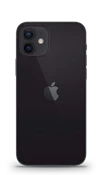


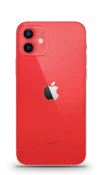
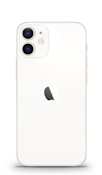


Got some questions about selling your device?
We’d like to answer them!
On Phonetradr, you will get the iPhone 12 between R8,931 - R16,941. On Sell Your iPhone, you can get between R740 - R11,450. At the iStore, you can only trade in the iPhone 12 for R1,942 - R8,059, however, you will receive an iStore voucher in return for which you can only spend it there.
All the information we need from you will be asked for during the few minutes you spend on creating your listing. We’ll need your full name, contact details, delivery address and the details of the device you’re selling such as the make, model, colour and if there’s any damage to it. We will also need your banking details so that you can get paid for the sale of your phone.
If you include your original wall charger and cable and they are in good working condition, then you will get a higher selling price, which means more money!
Remember, if you’re erasing all content, you’ll also be erasing your phone from Find My iPhone and whatever is in your iCloud account. The best way to do this is to go to your Settings > Tap ‘general’ > Choose ‘reset’ and select ‘erase all content and settings’
To remove your phone from Find My iPhone, go into your Settings > tap your Apple ID > tap ‘Find My iPhone’, and toggle off. This will remove your phone from being found by the app.
Go to your Settings > Sign into your Apple ID by typing in your logins or using your fingerprint > Tap iCloud > Tap the slider next to the apps you wish to backup > Scroll to the bottom of the list and select iCloud backup app > Tap ‘backup now’. You can also do this via iTunes: Connect your phone to your computer > Open iTunes > Click on the Device icon next to the category dropdown menu on the left side > Select ‘Summary’ from the sidebar > Select ‘Backup Now’ under ‘Manually Backup and Restore’.
Go to your Settings > Select Apple ID > Scroll to the bottom > Select ‘Sign Out’. To clear up definitions, your iCloud login is the same thing as your Apple ID.
Ready to sell? Let’s get your device listed!
Devices Just Sold!
These devices are off to create new memories with new owners!
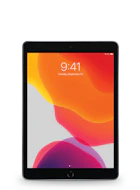
iPad Pro 10.2" (1st Gen)
Just
Sold!
Sold!
iPad Pro 10.2" (1st Gen)
Like New condition
64 GB
Space Grey
Sold for
R7 659.00or on credit for R785.00 pm
or on instant credit
Huawei P20
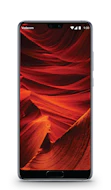
Just
Sold!
Sold!
Huawei P20
Good condition
128 GB
Midnight Blue
Sold for
R2 000.00or on credit for R205.00 pm
or on instant credit
Samsung Galaxy Note10
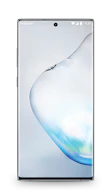
Just
Sold!
Sold!
Samsung Galaxy Note10
Excellent condition
256 GB
Aura Black
Sold for
R7 578.00or on credit for R777.00 pm
or on instant credit
Huawei P30
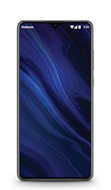
Just
Sold!
Sold!
Huawei P30
Like New condition
128 GB
Black
Sold for
R5 219.00or on credit for R535.00 pm
or on instant credit
Samsung Galaxy S9
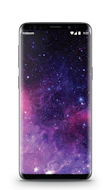
Just
Sold!
Sold!
Samsung Galaxy S9
Brand New (opened) condition
64 GB
Midnight Black
Sold for
R5 449.00or on credit for R559.00 pm
or on instant credit
Huawei P20 Pro
Just
Sold!
Sold!
Huawei P20 Pro
Excellent condition
128 GB
Midnight Blue
Sold for
R3 979.00or on credit for R408.00 pm
or on instant credit
What Clients Say

Zain Pringle says...
Quick efficient service. The device is in great condition and working perfectly. Will definitely return
from Portland

Zwothe Musehane says...
Excellent Service. If you see an offer saying Excellent Condition; you are just buying a new phone on bargain.
from Roodepoort
Dylan Ford says...
The phone was in great condition the the delivery was really quick!
from Cape Town