How do I sign out of my Google account on my Samsung S20?
On your phone, open the Gmail app > In the top right, tap your profile picture > Tap Manage accounts on this device > Choose your account > At the bottom, tap Remove account.
Sell your Samsung Galaxy S20
'%3e%3cg id='close_icon'%3e%3cg id='Group 2'%3e%3cg id='Line'%3e%3cuse xlink:href='%23path0_stroke' transform='translate(1807.76 2693.76)' fill='%232F2564'%3e%3c/use%3e%3c/g%3e%3cg id='Line'%3e%3cuse xlink:href='%23path0_stroke' transform='matrix(-1 0 0 1 1818.4 2693.92)' fill='%232F2564'%3e%3c/use%3e%3c/g%3e%3c/g%3e%3c/g%3e%3c/g%3e%3cdefs%3e%3cpath id='path0_stroke' d='M 1.10996 -0.304257C 0.719432 -0.694782 0.0862668 -0.694782 -0.304257 -0.304257C -0.694782 0.0862668 -0.694782 0.719432 -0.304257 1.10996L 1.10996 -0.304257ZM 9.17769 10.5919C 9.56821 10.9824 10.2014 10.9824 10.5919 10.5919C 10.9824 10.2014 10.9824 9.56821 10.5919 9.17769L 9.17769 10.5919ZM -0.304257 1.10996L 9.17769 10.5919L 10.5919 9.17769L 1.10996 -0.304257L -0.304257 1.10996Z'%3e%3c/path%3e%3c/defs%3e%3c/svg%3e)
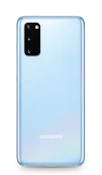
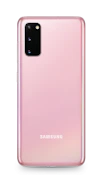
What color is your Samsung Galaxy S20?



Got some questions about selling your device?
We’d like to answer them!
Swipe down from the top of the screen to pull down the Notification Shade > Tap the Settings button > Swipe up to scroll down on the settings screen > Tap Backup and reset > Tap Factory data reset > Tap reset device > Tap ERASE EVERYTHING.
On your phone, open the Gmail app > In the top right, tap your profile picture > Tap Manage accounts on this device > Choose your account > At the bottom, tap Remove account.
If you include your original wall charger and cable and they are in good working condition, then you will get a higher selling price, which means more money!
We’ll need your full name, contact details, delivery address and the details of the device you’re selling such as the make, model, colour and if there’s any damage to it. We will also need to verify you as a seller with a few documents such as a copy of your ID, proof of address, and a signed affidavit which we will provide for you to sign. Lastly, we will also need your banking details so that you can get paid for the sale of your phone.
To conduct a Google backup and restore on your Android phone, go to your Settings > Accounts > Backup and restore. From the Google account section, tap the ‘Back up my data’ switch to turn it on. If it is off, this means none of your existing data has been backed up until this point.
Ready to sell? Let’s get your device listed!
Devices Just Sold!
These devices are off to create new memories with new owners!
Samsung Galaxy Note 3
Just
Sold!
Sold!
Samsung Galaxy Note 3
Good condition
32 GB
Pink
Sold for
R2 199.00or on credit for R225.00 pm
or on instant credit
Samsung Galaxy S5

Just
Sold!
Sold!
Samsung Galaxy S5
Excellent condition
16 GB
White
Sold for
R2 099.00or on credit for R215.00 pm
or on instant credit
Samsung Galaxy Note 3
Just
Sold!
Sold!
Samsung Galaxy Note 3
Good condition
32 GB
Pink
Sold for
R2 099.00or on credit for R215.00 pm
or on instant credit
iPhone 6s
Just
Sold!
Sold!
iPhone 6s
Good condition
16 GB
Rose Gold
Sold for
R7 499.00or on credit for R769.00 pm
or on instant credit
Samsung Galaxy Note 3
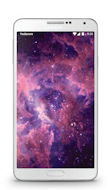
Just
Sold!
Sold!
Samsung Galaxy Note 3
Good condition
32 GB
White
Sold for
R2 319.00or on credit for R238.00 pm
or on instant credit
Samsung Galaxy S5
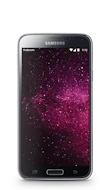
Just
Sold!
Sold!
Samsung Galaxy S5
Excellent condition
16 GB
Black
Sold for
R2 999.00or on credit for R307.00 pm
or on instant credit
What Clients Say

Muema Malinda says...
Quick delivery and overall quality of service was good :)
from Port Elizabeth

Sinobomi Mosia says...
Exceptional service from Phonetradr. I love my P20 and its as good as new. Thank you Josh for your service and keeping communication channels open at all times, I really appreciate it. Keep up the good work guys.
from Tembisa
Raymond Okere says...
This guys are awesome, they always keep you updated every step of the way. Sold my iPhone XR through them and will definitely recommend ther services to anyone.
from Fourways